

How Does IPTV Work? The Technology Explained Simply
You have probably heard the term IPTV, seen it in discussions about cord cutting, and wondered how does IPTV work in practice. The short version is that it delivers television over the same internet connection you use for everything else, instead of through an aerial, a satellite dish, or a cable line. That single change in delivery opens up live channels, on demand libraries, and catch up TV on almost any device you own.
This guide explains the technology in plain English: the journey from broadcaster to screen, what happens inside your broadband connection, and the difference between the strict industry definition and everyday usage. Our guide on what IPTV is is a good companion piece.
How Does IPTV Work? The Short Answer
IPTV stands for Internet Protocol Television. Instead of a broadcaster pushing every channel down a cable at the same time, an IPTV system sends only the channel you asked for, broken into small chunks of data called packets, across an internet network. Your device receives those packets, puts them back in order, decodes the video, and plays it, usually within a few seconds of your request.
The important detail is the request. Traditional television is a one way broadcast: the signal goes out whether you are watching or not. IPTV is two way. Your set top box, smart TV app, or streaming stick asks the provider’s server for a specific channel, and the server answers with a stream aimed at you. Nothing else travels to your home. This on demand model is what makes IPTV so efficient with bandwidth, and it is also why you can pause, rewind, or restart a live programme in ways that were awkward or impossible with old broadcast TV.
One caveat worth knowing: engineers and telecom companies use the term IPTV in a stricter sense than the rest of us. In the industry definition, a true IPTV service runs over a managed network controlled by the provider, with reserved bandwidth to guarantee quality. Much of what is sold and discussed as IPTV today actually runs over the public internet, which technically makes it closer to OTT (over the top) streaming. Wikipedia’s Internet Protocol television article covers the formal definition if you want the technical history. For this guide, we will explain both: the managed network model the industry means, and the internet model most viewers actually experience.
The Journey of an IPTV Stream, Step by Step
Every IPTV stream follows the same path from source to screen. Understanding each stage helps when something goes wrong, because most problems can be traced to one of them.
1. Content acquisition
It starts at the provider’s headend, the facility where content is gathered. Live TV channels arrive through several routes: satellite downlinks, fibre connections from broadcasters, or direct feeds supplied by the channel owners themselves. On demand content is different: movies and series are stored on the provider’s servers as files, ready to be sent whenever someone presses play. This is why a provider can offer thousands of channels and tens of thousands of on demand titles. The live side is captured continuously; the on demand side is just a very large library sitting on disk.
2. Encoding and compression
Raw broadcast video is enormous. An uncompressed high definition feed can run at hundreds of megabits per second, far more than any home broadband connection can handle. So the next step is encoding: the video is compressed with a codec such as H.264 (also called AVC) or the newer H.265 (HEVC), which can halve the bandwidth needed for the same picture quality. This is often paired with transcoding, where the provider creates several versions of the same stream at different resolutions and bitrates, so viewers on fast and slow connections each get a playable picture.
3. Packaging and the middleware layer
Next, the stream is packaged into a format the player understands: MPEG transport streams for live TV, or HTTP based formats such as HLS for web delivery. Above this sits middleware, the software that handles your login, checks your subscription, organises channels, and generates the electronic programme guide (EPG). It decides what you may watch and points your player at the right streams.
4. Delivery across the network
Now the transport: the packaged video is split into IP packets and sent toward your device. On a managed network, live channels use multicast, one copy per channel, replicated by routers only toward watching homes, so a thousand viewers need barely more capacity than ten. Over the public internet, multicast is unavailable, so delivery is unicast, one stream per viewer, with CDNs caching content on servers close to you.
5. Decoding and playback on your device
The final stage happens in your living room. Your device, whether that is a dedicated set top box, a Firestick, a smart TV app, or a phone, receives the packets, buffers a few seconds of video to smooth out network hiccups, reassembles the chunks in order, and decodes them back into moving pictures and sound. This all happens in near real time. When you change channel, your device simply stops asking for the old stream and requests the new one, which is why channel changes on IPTV typically take a second or two longer than on cable.
What Happens Inside Your Broadband Connection
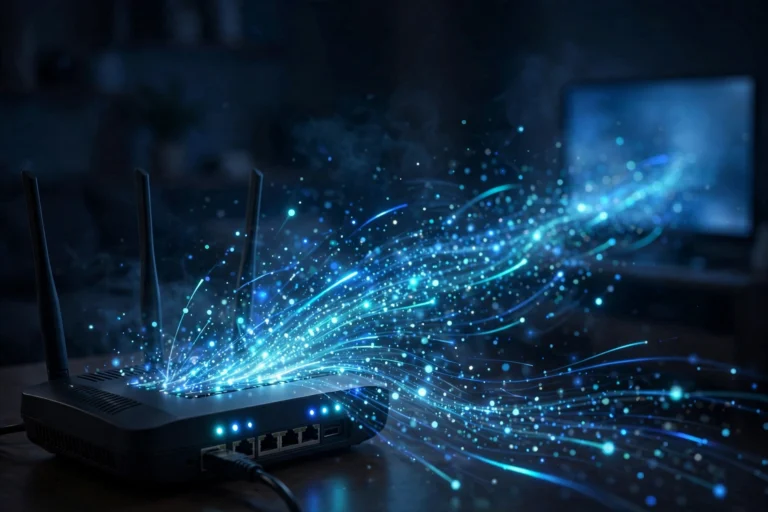
To really answer how does IPTV work, it helps to picture what your router is doing while you watch. Your broadband line carries many kinds of traffic at once: web pages, video calls, downloads, and your TV stream. Unlike old broadcast television, which reserved a dedicated slice of cable or airwaves, IPTV video is just data competing for space on the same connection.
Each video stream is chopped into thousands of packets per minute. Every packet carries a small slice of picture and sound, plus header information saying where it came from, where it is going, and which position it holds in the sequence. Packets do not always arrive in order, and occasionally one goes missing entirely. Your device’s buffer, a few seconds of stored video held in memory, is what hides this chaos from you. It gives the player time to reorder packets and request replacements for lost ones before they are due on screen.
This is also why your internet speed matters more for IPTV than for ordinary browsing. A web page loads once and sits still; a video stream needs a constant, steady flow of several megabits per second for as long as you watch. A standard HD channel typically needs around 8 to 10 Mbps of reliable throughput, while 4K can demand 25 Mbps or more, depending on the codec. See our internet speed guide for IPTV for a detailed breakdown. If your connection dips below what the stream needs, the buffer drains and you see the dreaded spinning wheel.
The multicast versus unicast distinction matters here. Multicast lets many homes share one stream, so a million viewers barely increase the load; unicast gives each viewer a private copy, so the servers must handle a separate stream per person. Most consumer IPTV services are unicast based, which is why a big live event strains a poorly built service while barely touching a well built one.
The Three Kinds of IPTV Content
IPTV is an umbrella term covering three different viewing models, and most providers offer all three. They differ in how the content is stored and delivered, which affects everything from bandwidth needs to whether you can pause.
| Content type | What it is | How it is delivered | Can you pause? |
|---|---|---|---|
| Live TV | Channels broadcast in real time, like a news or sports channel | Continuous stream, multicast on managed networks or unicast over the internet | Usually yes, using a short buffer or catch up feature |
| Video on demand (VOD) | Movies and series you start whenever you like | Individual unicast stream per viewer, pulled from the provider’s library | Yes, full trick play: pause, rewind, fast forward |
| Time shifted TV | Catch up and start over: programmes broadcast earlier, replayed on request | Recorded live streams served as on demand files | Yes, exactly like VOD |
Live TV is the most demanding to run, since the provider must ingest and distribute hundreds of channels continuously. VOD is simpler, the files already exist, but a popular release means thousands of simultaneous individual streams. Time shifted TV sits between the two: recorded live feeds made available for hours or days afterwards.
Codecs and Streaming Protocols: The Invisible Machinery
Two families of technology do the quiet work of making IPTV practical. Codecs shrink the video. Protocols define how it travels.
Codecs are compression algorithms. H.264 (AVC) has been the workhorse for over a decade and still handles most IPTV traffic. H.265 (HEVC) compresses roughly twice as efficiently, which is what makes 4K feasible on ordinary broadband, though it needs more processing power to decode, so older devices can struggle. A newer codec, AV1, promises further gains but is not yet widespread in IPTV hardware.
Protocols govern delivery. On managed networks, live TV traditionally rides on RTP over UDP, a fast combination that prioritises speed over guaranteed delivery, with RTSP handling play, pause, and channel changes. Over the public internet, HTTP based protocols dominate: HLS (from Apple) and MPEG DASH. Both chop video into small segments fetched over ordinary web connections, which enables adaptive bitrate streaming: the player switches quality up or down to match your connection, so the picture softens instead of freezing.
What You Need to Watch IPTV
The hardware requirements are modest, which is part of IPTV’s appeal. At minimum you need a broadband connection, a compatible device, and a player app with your subscription loaded.
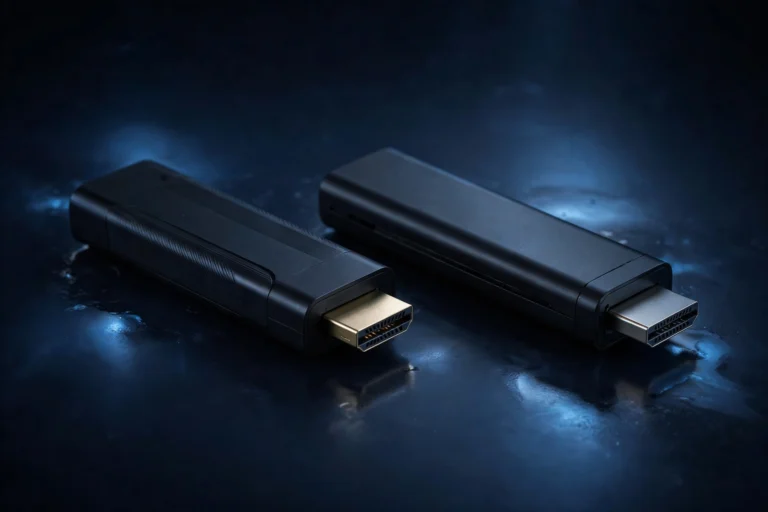
Smart TVs run IPTV apps directly. Streaming sticks and boxes, such as the Amazon Firestick or an Android TV box, are the most popular choice: cheap, portable, easy to upgrade. Dedicated IPTV boxes like the Formuler and MAG ranges handle channel zapping and recording more smoothly. Phones, tablets, and laptops cover everything else. Our best devices for IPTV guide compares them in detail.
You also need a player app that understands your provider’s format: M3U playlists or Xtream Codes API logins (server address, username, password). Popular apps include TiviMate, IPTV Smarters, XCIPTV, and VLC. Our IPTV setup guide walks through it device by device.
How Does IPTV Work Compared With Cable and Satellite?
The clearest way to see what is different is to line the technologies up side by side. The viewing experience overlaps, but the plumbing underneath is completely different.
| IPTV | Cable | Satellite | |
|---|---|---|---|
| Signal path | Internet network, on request | Dedicated coaxial cable, always on | Signal beamed from orbit to a dish |
| What reaches your home | Only the channel you requested | Every channel simultaneously | Every channel simultaneously |
| Two way communication | Yes, your device talks back to the server | Limited | Very limited (usually needs a phone line or broadband for extras) |
| Pause and rewind live TV | Standard | Needs a recorder box | Needs a recorder box |
| Works away from home | Yes, anywhere with internet | No | No |
| Weather sensitivity | None (but depends on broadband stability) | Low | Heavy rain can degrade the signal |
| Typical weakness | Dependent on internet quality and provider servers | Expensive infrastructure, fixed packages | Installation cost, dish alignment, rain fade |
The two way nature of IPTV is the biggest shift. A cable box mostly listens; an IPTV app converses, which enables personalisation, on demand libraries, catch up, and multi device viewing.
Why IPTV Sometimes Buffers (And What It Really Means)
Buffering is the one experience that makes people ask how does IPTV work with frustration rather than curiosity. It helps to know that buffering is almost never one single cause. The chain has several links, and any of them can be the weak one.
Start with your own connection: congestion from gaming or video calls elsewhere in the house, or a Wi Fi dead spot near the TV, can starve the stream. Next, the provider’s servers, which can struggle at peak times or during big sports events. Then the route between you and the server, where congestion anywhere along the path shows up as stuttering. Finally, the device itself: an old stick can choke on H.265 4K streams even when the connection is fine.
The honest version: a well run IPTV service on a decent broadband line is remarkably stable, and most persistent buffering traces back to one of those four causes rather than some mystery. Our IPTV buffering fix guide works through them in order, from the five minute checks to the deeper fixes.
Frequently Asked Questions
Does IPTV use a lot of internet data?
Yes. An hour of HD uses roughly 3 to 4 GB, and 4K can use 10 GB or more. Most UK fibre packages are unlimited, so this rarely matters, but check if you are on a capped plan.
Can I watch IPTV on multiple devices at once?
It depends on your plan, which allows a set number of simultaneous connections, commonly one or two. Exceed it and the extra stream is refused.
Why is there a delay on IPTV compared with a normal TV?
Encoding, packetising, network travel, and buffering add latency: typically 10 to 60 seconds for internet delivered IPTV, under a few seconds for managed multicast networks. It matters most for live sport.
Do I need a VPN for IPTV?
No. IPTV works fine without one. Some use a VPN to deter ISP throttling or for privacy, but it can slightly slow your connection, so it is a trade off, not a requirement.
Is IPTV the same as a smart TV app like iPlayer or Netflix?
They share the idea of video over the internet, but iPlayer and Netflix are OTT services: open internet, unicast, adaptive streaming. Strict IPTV is a managed network service for live channels. We compare the two properly in a dedicated IPTV vs OTT guide.
What internet speed do I actually need?
Aim for a stable 15 to 25 Mbps at the viewing device for HD, and 40 to 50 Mbps of sustained speed for 4K. Stability matters more than peaks: a steady 25 Mbps line beats one that averages 50 but drops to 5 each evening.
The Bottom Line
So, how does IPTV work? Your device asks for a channel, the provider encodes and sends it as data packets across an internet network, and your device reassembles and plays it. Middleware handles login and guide, codecs keep bandwidth manageable, protocols handle delivery. Clever, but not mysterious: television as a two way conversation between screen and server.
Knowing the mechanics pays off. You can choose a better provider, pick the right device, and fix most problems yourself. Codecs and adaptive streaming keep improving, but the basic idea, ask for video, receive video, is not going anywhere.



One Comment